
Build the Player with Button Overlay
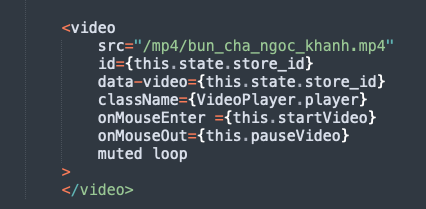
We can build a simple HTML5 video player with the VIDEO tag. HTML5 video tag options lets us set the video to muted and loop by default.
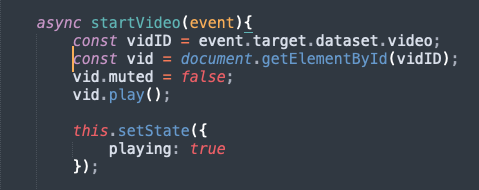
The onMouseEnter event will start playing the video with sound by seting vid.muted to false and trigger vid.play().
The onMouseOut event will stop playing the video by setting vid.muted to true and trigger event.target.pause().
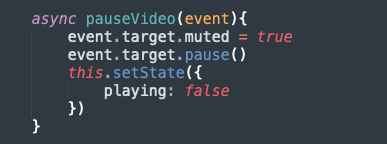
Our html5 video could be ID either via document.getElementById method or by the event.target.
We show and hide the Play Button using State and Conditional Rendering
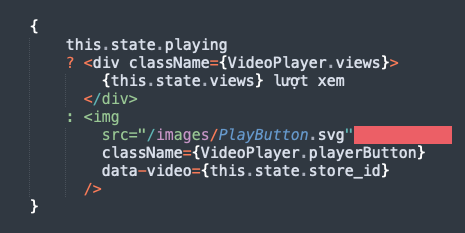
React State to Store Play Time
The views count is stored locally in react state intially.
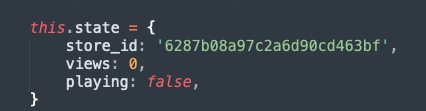
And then we update the database and local state whenever there are a new Play Video event.
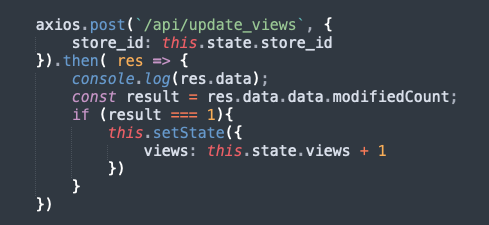
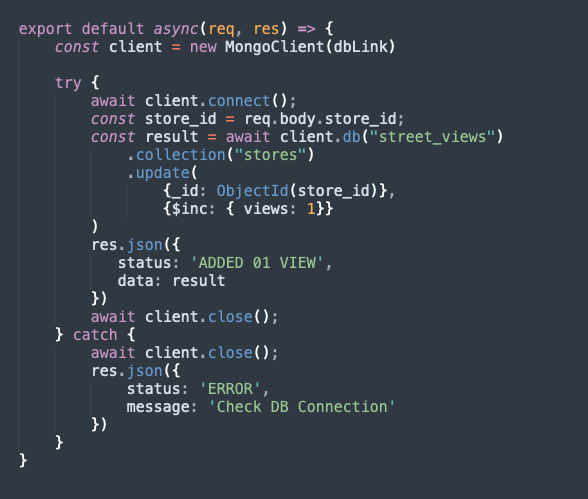
API for inserting PLaytime into Database
When the client hits our DB endpoint for Views Count api/update_views then
the API will connect to our MONGODB database, search the store by id and then
using the $inc feature to increase views count of the store in interest by one.