
The Quick and Easy Way to use Google Analytics in NextJS*
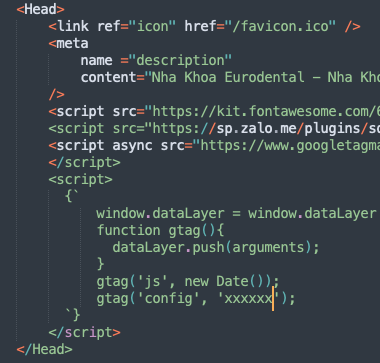
- Use the NextJS Head package
- Wrap the Google Analytics code with two back quote
- Put the wrapped code inside the header
Track Page Views and Routes
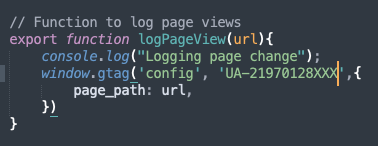
- Create a Google Analytics file inside your library or ultilities folder and add logPageView
-
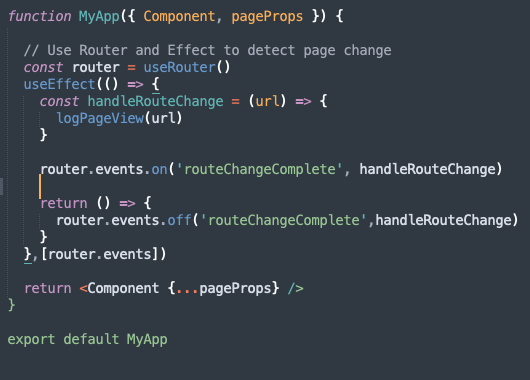
Download and import the NextJS Router package and React useEffect inside _app.js file
-
Call the GA function logPageView to send page event to Google Analytics server each time there is a router event
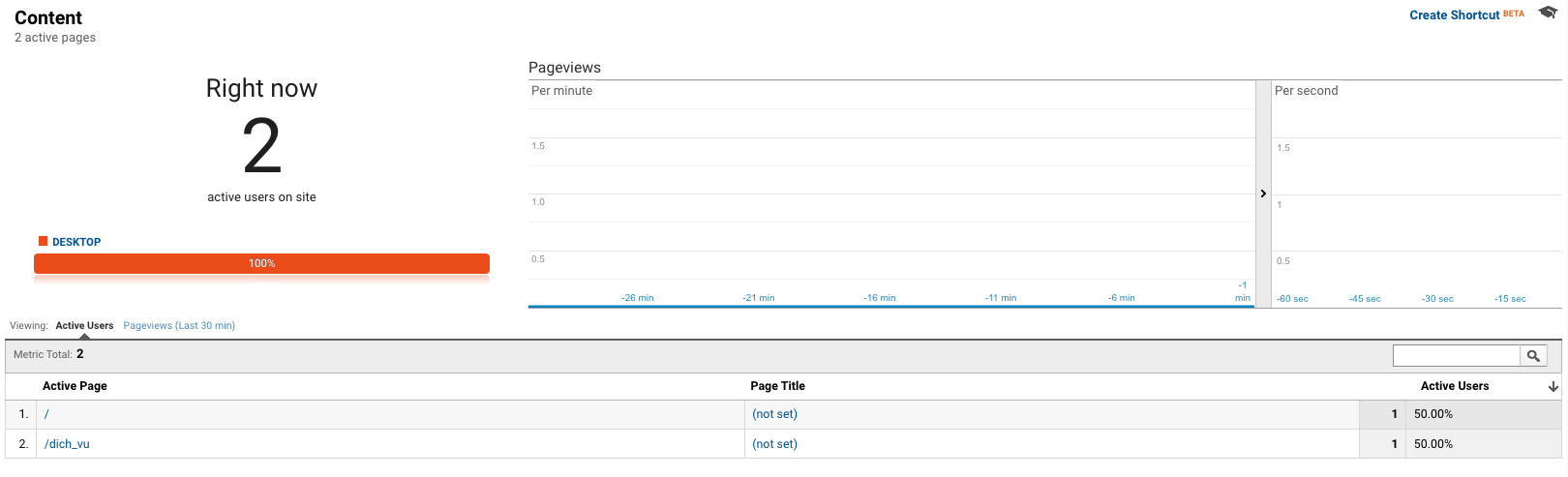
After setting correctly, you should be able to view Google Analytics like this
Track specific Click Event by Users
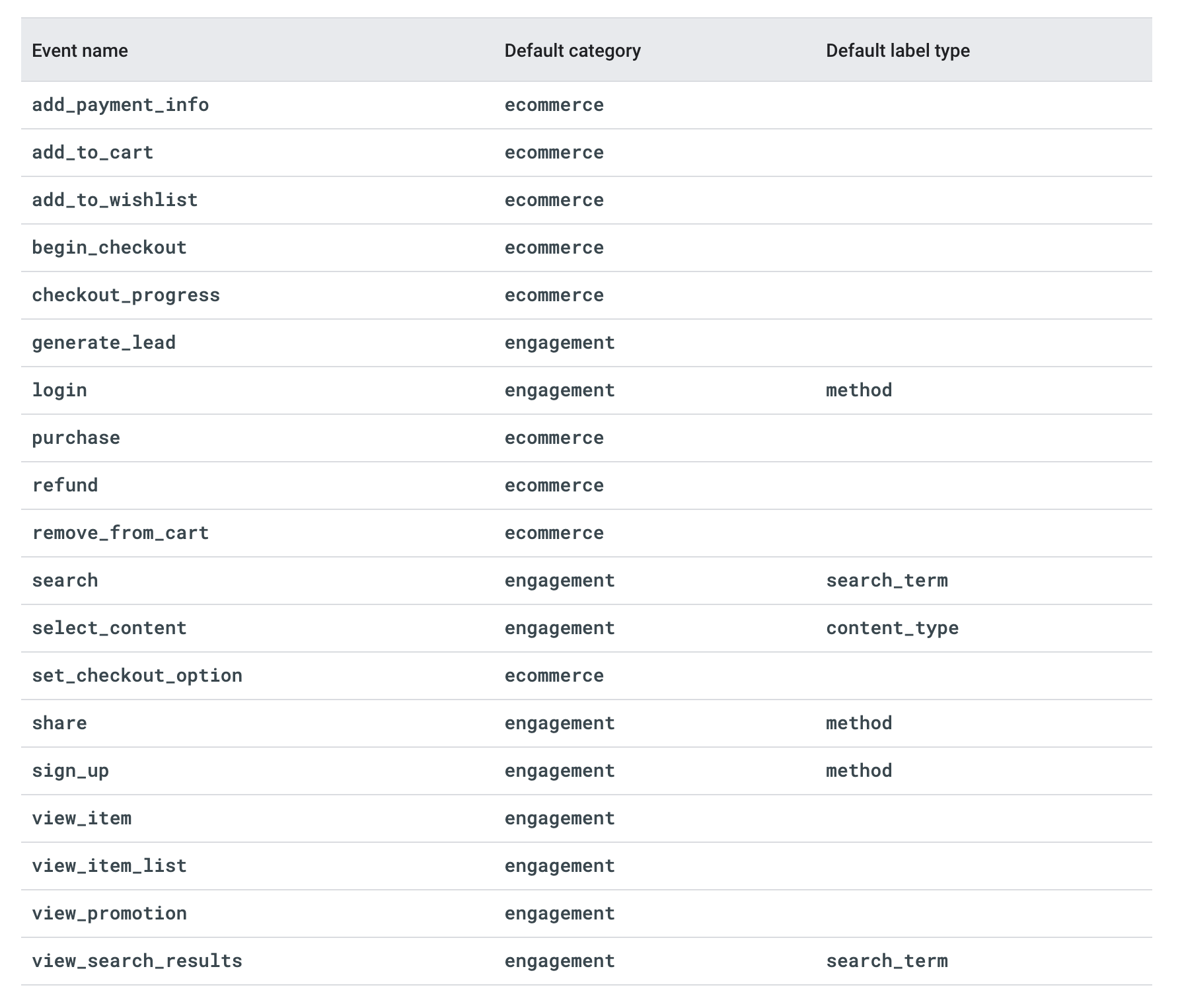
These are default Google Event types. We will track event: generate_lead. When users click contact or booking button, it is a generate_lead events.
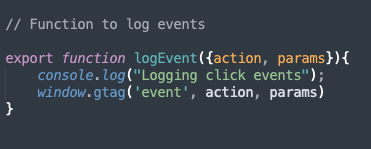
- First we need to add logEvent inside our created ga.js library file
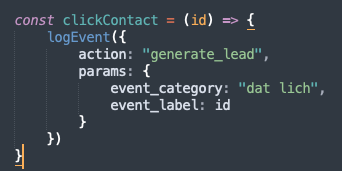
- Then we can go to each pages when there are contact/lead gen button and add the clickContact function ahead of the return function
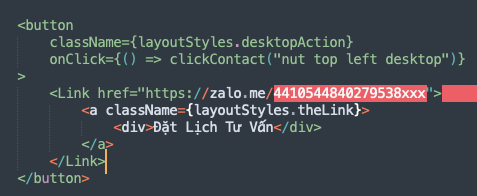
- And then add trigger the event with onClick at the target tracking button
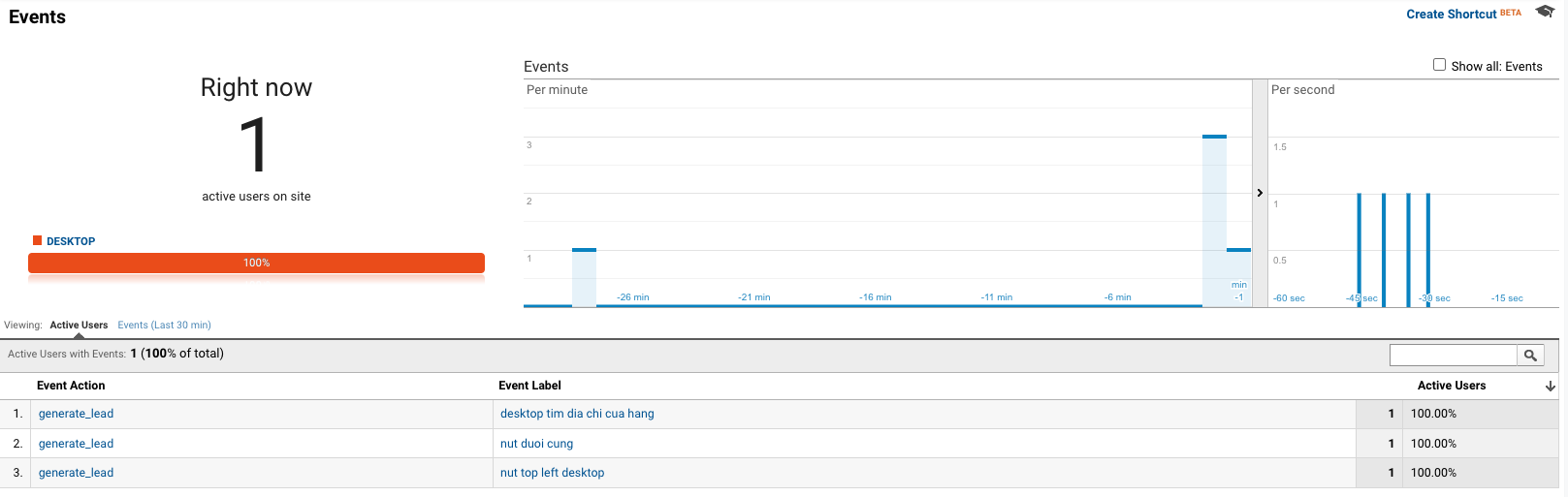
After tracking event setting up correctly, we should be able to see use events, its category and label on Google Analytics dashboard.
Filter Your IP address from Google Analytics data
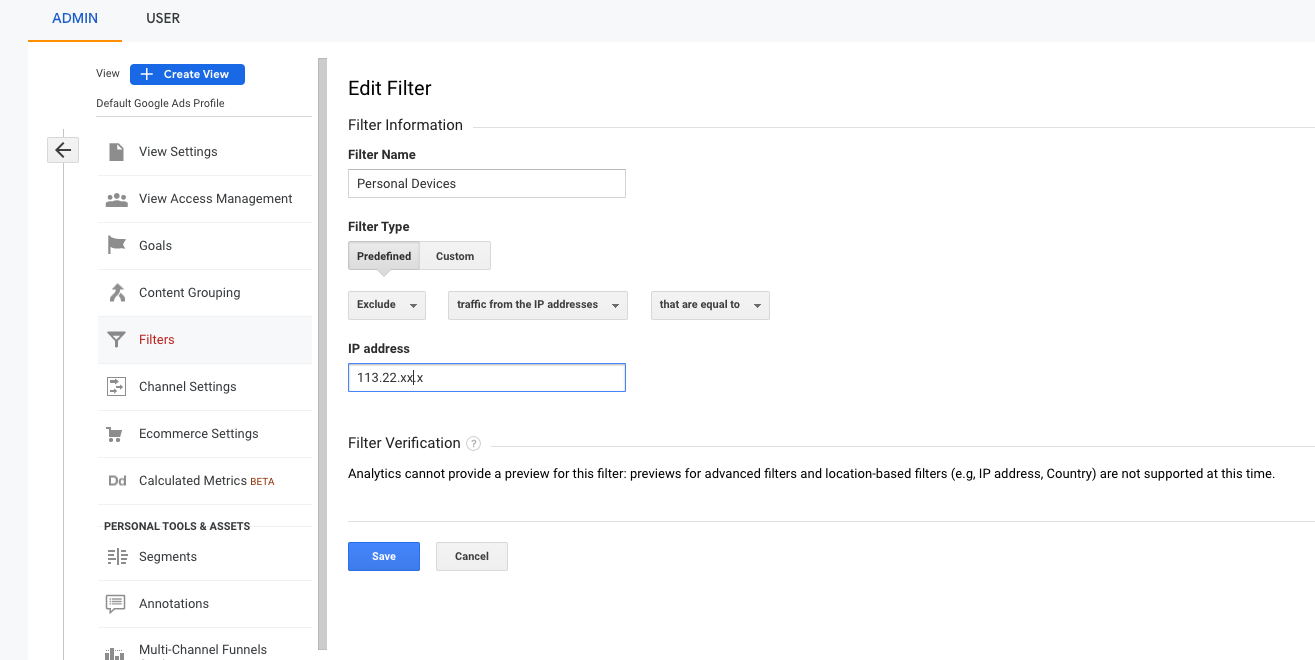
When you develop and write contents from for the website, we will visit different pages of our own website for testing which will result in large page visit as well as page duration in Google Analytics. These personal data point is not helpful in understanding the users behavior of our product. Hence we should filter out our personal visit by IP addresses from Google Analytics using the Google Analytic Filter tool.
It will take 24 hours for Filter to take effect after you create the filter.
References: